


Hello, my name is Harry. I created this sample on how to get started with C# Asp.net Core + Vue. Vue is kind of new and lack of support with Asp.net Core in the meantime. Using the
Let’s get started
// Make a directory where you want the project
mkdir my-vue-starter && cd my-vue-starter
// Download the dotnet template
dotnet new -i aspnetcore-vuejs
// Run and install the template
dotnet new vuejs
// Make sure you install the dependencies
npm install
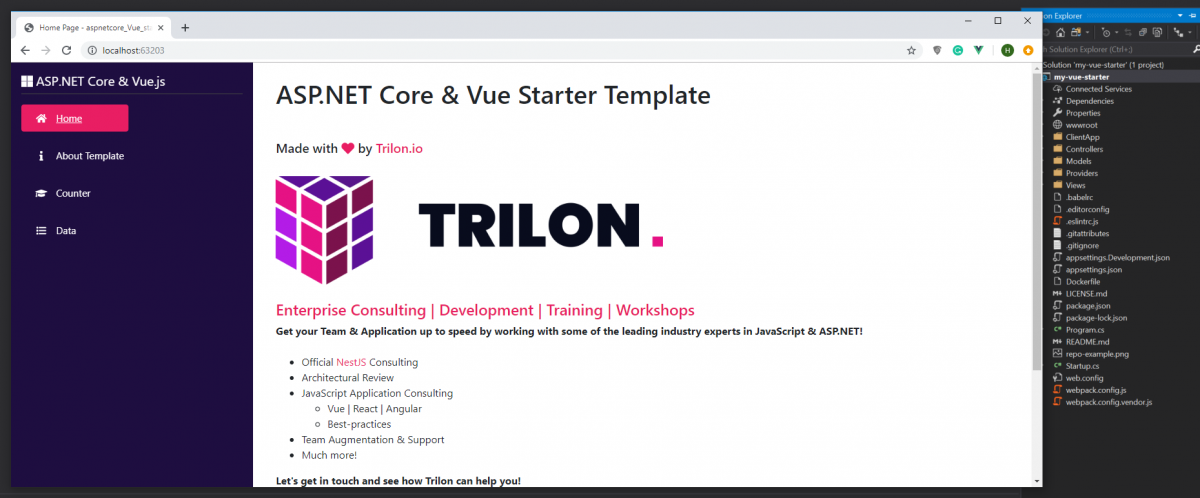
You should get like this
Let’s make some HTTP Get Request
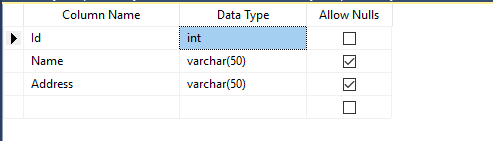
Create database “vuecore “, table ” tblPersons” and stored procedure “getPersons“
Insert Some Records

--Snippet
USE [vuecore]
 GO
 INSERT INTO [dbo].[tblPersons] ([Name] ,[Address]) VALUES ('John', 'USA')
 INSERT INTO [dbo].[tblPersons] ([Name] ,[Address]) VALUES ('Smith', 'Philippines')
 INSERT INTO [dbo].[tblPersons] ([Name] ,[Address]) VALUES ('Jackie', 'China')
 GO
Create Stored Procedure
CREATE PROCEDURE getPersons @Id int = null --Optional
 AS
 IF @Id <> ''
 BEGIN
   SELECT * FROM tblPersons WHERE Id = @Id
 END
 ELSE
 BEGIN
      SELECT * FROM tblPersons
 END
 GO
Setting Our API
Creating “ConnectionStrings” in appsettings.json

{
   "ConnectionStrings": {
     "DefaultConnection": "Server=(localdb)\mssqllocaldb;Database=vuecore;Trusted_Connection=True;MultipleActiveResultSets=true"
   }
   }
Creating “Persons” Model

using System.ComponentModel.DataAnnotations;
 namespace my_vue_starter.Models
 {
     public class Persons
 {
     [Key]
     public int Id { get; set; }
     public string Name { get; set; }
     public string Address { get; set; }
 }
 }
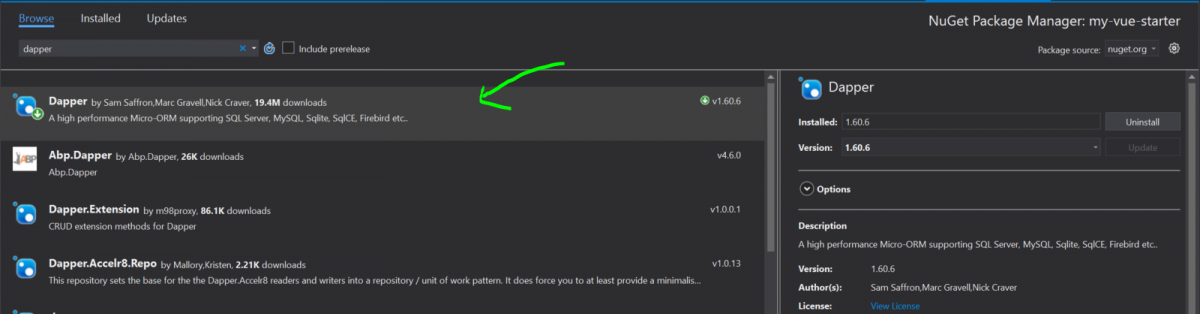
Install DAPPER using NPM
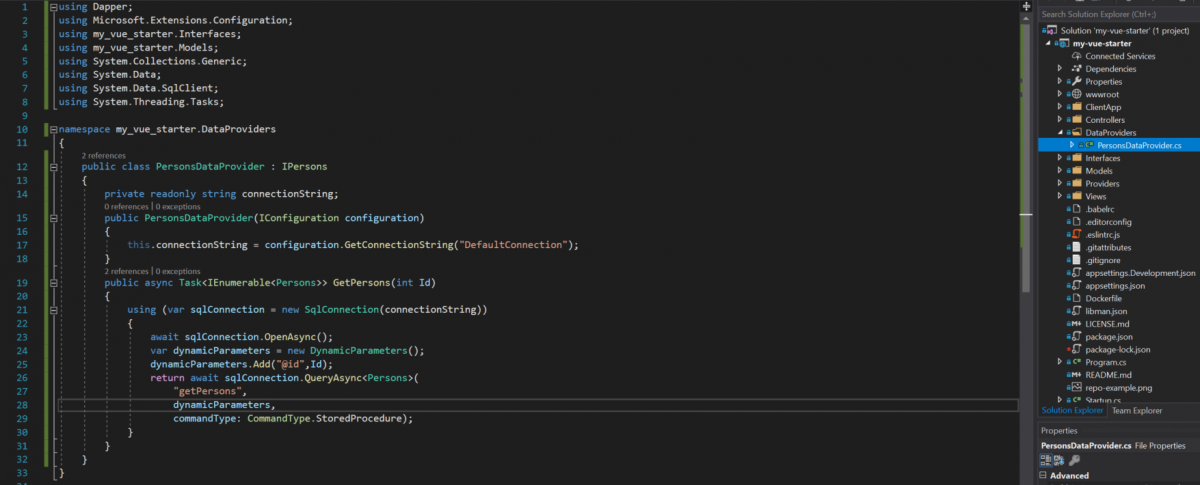
Creating “PersonsDataProvider”
using Dapper;
 using Microsoft.Extensions.Configuration;
 using my_vue_starter.Interfaces;
 using my_vue_starter.Models;
 using System.Collections.Generic;
 using System.Data;
 using System.Data.SqlClient;
 using System.Threading.Tasks;
 namespace my_vue_starter.DataProviders
 {
     public class PersonsDataProvider : IPersons
     {
         private readonly string connectionString;
         public PersonsDataProvider(IConfiguration configuration)
         {
             this.connectionString = configuration.GetConnectionString("DefaultConnection");
         }
         public async Task<IEnumerable<Persons>> GetPersons(int Id)
         {
             using (var sqlConnection = new SqlConnection(connectionString))
             {
                 await sqlConnection.OpenAsync();
                 var dynamicParameters = new DynamicParameters();
                 dynamicParameters.Add("@id",Id);
                 return await sqlConnection.QueryAsync(
                     "getPersons",
                     dynamicParameters,
                     commandType: CommandType.StoredProcedure);
             }
         }
     }
 }
Creating “IPersons” Interface

using my_vue_starter.Models;
 using System.Collections.Generic;
 using System.Threading.Tasks;
 namespace my_vue_starter.Interfaces
 {
     public interface IPersons
 {
          Task<IEnumerable<Persons>> GetPersons(int Id);
     }
 }
Registering to Startup (Configuration)

services.AddTransient<IPersons, PersonsDataProvider>();
Creating “PersonsController”
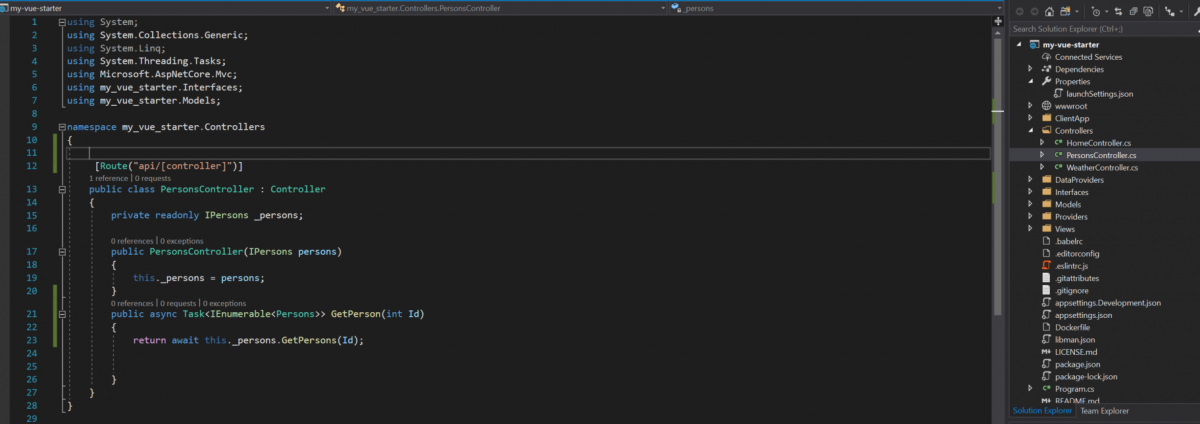
 using System.Collections.Generic;
 using System.Threading.Tasks;
 using Microsoft.AspNetCore.Mvc;
 using my_vue_starter.Interfaces;
 using my_vue_starter.Models;
 namespace my_vue_starter.Controllers
 {
  [Route("api/[controller]")]
   public class PersonsController : Controller
    {
    private readonly IPersons _persons;
    public PersonsController(IPersons persons)
    {
        this._persons = persons;
    }
    public async Task<IEnumerable<Persons>> GetPerson(int Id)
    {
        return await this._persons.GetPersons(Id);
    }
  }
 }
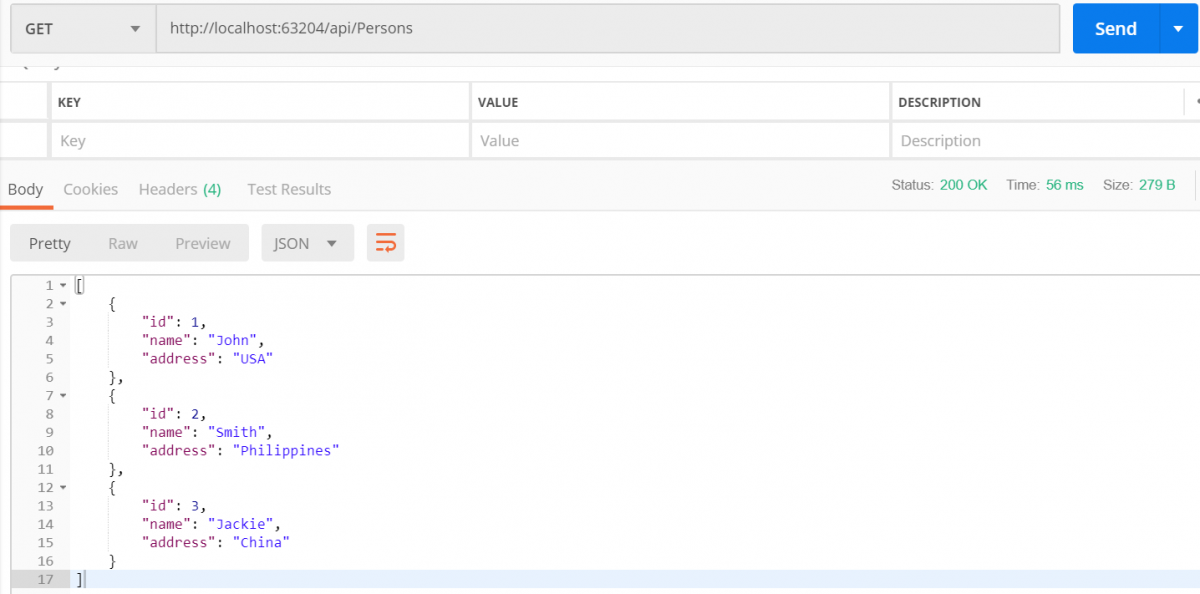
Test with Postman
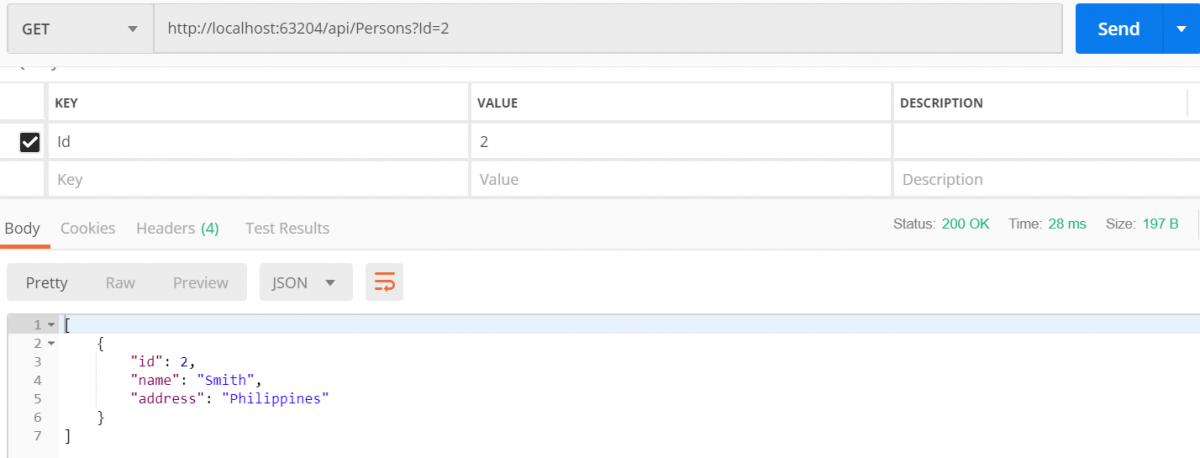
Get Person with “Id”
Configure ClientApp
Registering our routes
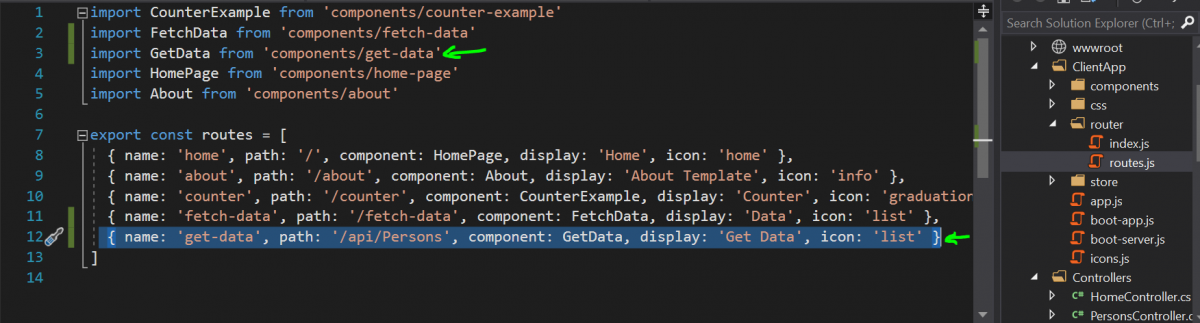
import GetData from 'components/get-data'
{ name: 'get-data', path: '/api/Persons', component: GetData, display: 'Get Data', icon: 'list' }
Adding “get-data.vue” component
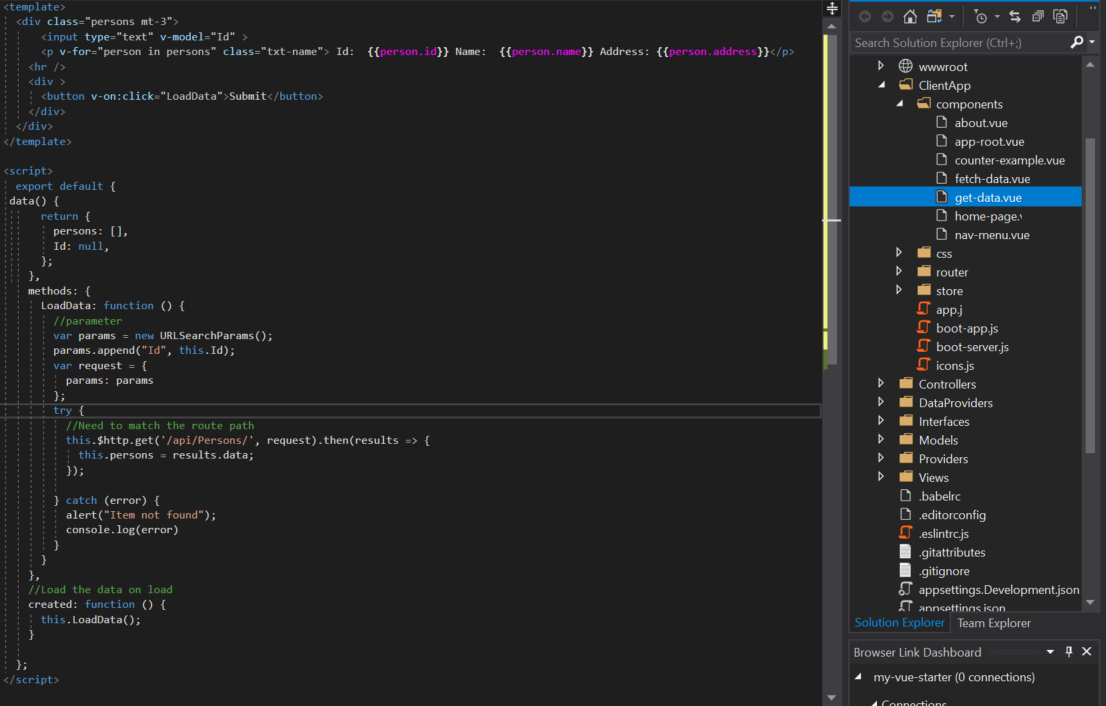
Link to component get-data.vue
Final results
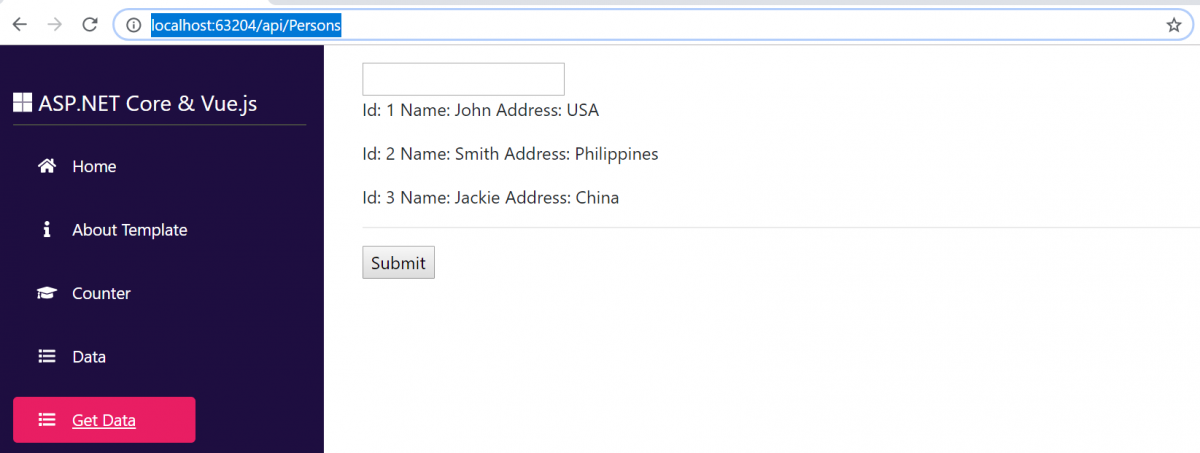
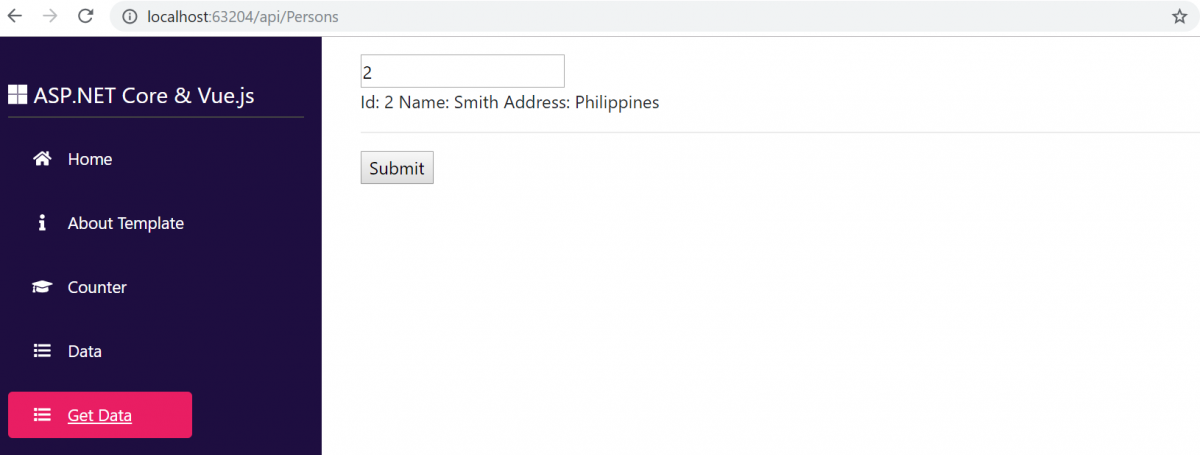
Download the code in GitHub
BIG CREDIT TO TRILON

















Very good sample. Thank you
You’re welcome and glad I can help.
Admin
I can’t find a good starting point using these two frameworks until I found this website. Thank you for sharing 🙂
You’re welcome.
Admin
I’m extremely pleased to find this site. I need to to thank you for ones
time for this particularly wonderful read!! I definitely loved every part of it
and I have you bookmarked to see new things in your web site.
I am glad to know that you enjoy it.
Admin
This is one of the best and easiest steps for starters like me using Vue and Asp.net core.
Thanks,
Sal
You’re welcome.
Admin